If you’re trying to free up disk space and clean duplicate files, you’ve likely come across both
Easy Duplicate Finder and CCleaner. While both tools help improve computer performance,
they are built for very different purposes.
This comparison breaks down features, safety, accuracy, pricing, and real-world use cases so you can choose
the right tool for removing duplicate files safely and efficiently.
Quick Verdict
- Best for removing duplicate files safely: Easy Duplicate Finder
- Best for cloud storage duplicates: Easy Duplicate Finder
- Best for beginner-friendly duplicate cleanup: Easy Duplicate Finder
- Best for general system cleanup: CCleaner
Bottom line: If your goal is finding and removing duplicate files, photos, videos, or cloud duplicates,
Easy Duplicate Finder is the better and safer choice.
What Each Tool Is Designed For
Easy Duplicate Finder
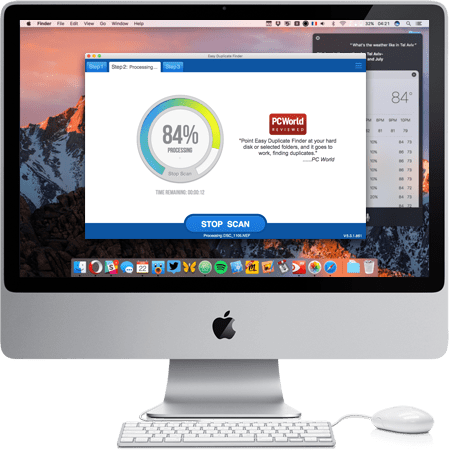
Easy Duplicate Finder is a dedicated duplicate file removal tool. It focuses on accuracy, safety,
and control when identifying and deleting duplicate content across local drives and cloud storage.
Primary focus:
- Duplicate files
- Duplicate photos and videos
- Cloud storage duplicates
- Safe preview-before-delete workflows
CCleaner
CCleaner is a general system optimization utility. It includes temporary file cleanup, registry cleaning,
and performance tools, with limited duplicate file functionality.
Primary focus:
- Temporary file cleanup
- System optimization
- Registry maintenance
- Basic duplicate file detection
Feature Comparison
| Feature |
Easy Duplicate Finder |
CCleaner |
| Dedicated duplicate file detection |
Yes |
Limited |
| Duplicate photo & video detection |
Yes |
No |
| Cloud storage support |
Yes |
No |
| Preview before delete |
Yes |
Limited |
| System file protection |
Yes |
Limited |
| Beginner-friendly workflow |
Yes |
Limited |
| Free trial available |
Yes |
Limited |
Accuracy & Safety
Easy Duplicate Finder uses advanced matching algorithms, allows full preview before deletion,
and protects system-critical files.
CCleaner’s duplicate detection is not its core function and requires more technical knowledge
to avoid accidental data loss.
Cloud Storage Support
Easy Duplicate Finder supports Google Drive, Dropbox, and OneDrive for duplicate scanning.
CCleaner does not support cloud duplicate scanning.
Ease of Use
Easy Duplicate Finder provides a guided, step-by-step workflow ideal for non-technical users.
CCleaner is more technical and designed for power users.
Pricing & Value
Easy Duplicate Finder offers a free trial, clear licensing, and a money-back guarantee.
CCleaner uses subscription pricing where duplicate cleanup is only a minor feature.
Who Should Choose Easy Duplicate Finder?
- Want safe duplicate removal
- Have large photo or video libraries
- Use cloud storage
- Want preview before deleting
- Prefer a beginner-friendly interface
Who Should Choose CCleaner?
- Want general system cleanup tools
- Do not need advanced duplicate detection
- Are comfortable with technical utilities
FAQs
Is Easy Duplicate Finder better than CCleaner?
Yes, for duplicate file removal.
Is Easy Duplicate Finder safe?
Yes, with built-in safeguards.
Can CCleaner remove duplicate photos?
Only in a limited way.
Final Recommendation
If your goal is to remove duplicate files safely, reclaim disk space, and clean cloud storage,
Easy Duplicate Finder is the clear winner.
Download Easy Duplicate Finder Free to scan your system and review duplicates safely.